US Passport
United States
Make your US passport photo online — upload a phone photo and get a compliant 2x2 inch (51x51 mm) US passport photo with a white background, to State Department rules, in seconds.
Last reviewed:
Upload & process
Choose a photo from your device. Processing starts right on this page.
Example photo guidance
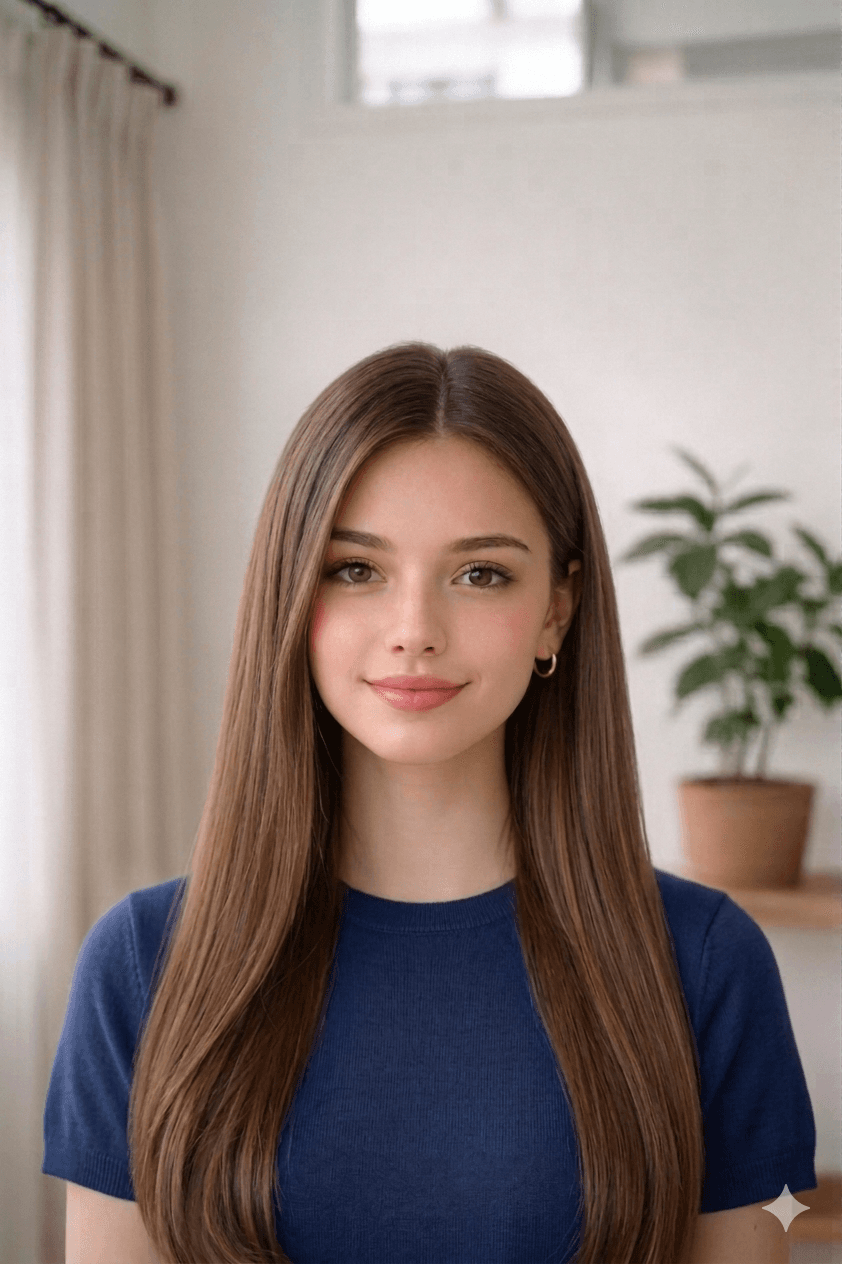
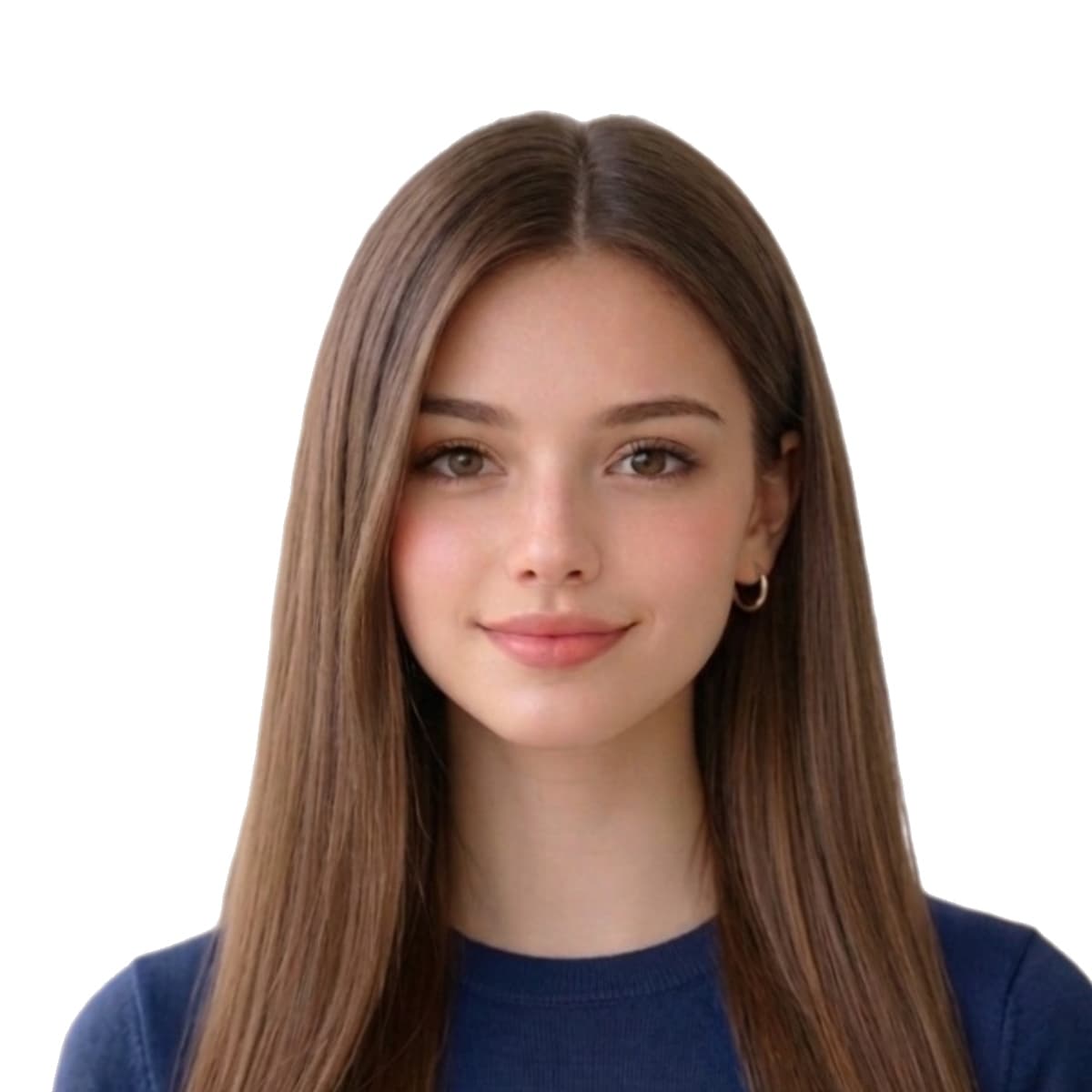
US Passport — key specifications
At-a-glance summary of the official United States photo template. Every value below is enforced automatically when you upload your image.
| Physical size | 51 mm × 51 mm (2.01 in × 2.01 in) |
|---|---|
| Digital size | 1200 × 1200 px (300 DPI) |
| Background | Plain white |
| Max file size | 240 KB (JPEG) |
| Head coverage | 70–80% of photo height (ICAO-aligned) |
| Print sheet | 4x6 · 6 |
Requirements
Check dimensions and official rules on this page.
- Physical: 51mm × 51mm
- Digital: 600–1200px × 600–1200px
- Max file size: 240 KB
Latest rules: no glasses, white background, 600x600px digital specs.
2026 US passport photo rule — what to do
On January 1, 2026 the US State Department began rejecting passport photos that have been AI-edited (background replacement, skin smoothing, face reshaping). Geometric cropping and resizing are still allowed.
For a compliant US passport submission, capture your photo against a real plain white wall and use this tool for cropping, resizing, and the 4×6 print sheet only — do not enable AI background replacement for your US output.
Full details: 2026 US passport photo AI rules.
US State Department — 8 FAM 402.1 photo rules
The US Department of State publishes passport-photo specifications in 8 FAM 402.1 of the Foreign Affairs Manual. The current revision (2026-01-12) adds an explicit ban on AI-edited photographs and tightens the 50–69% head-coverage band that has applied since 2016.
Why use this US Passport tool
- $3.99Final photo + 4×6 print sheet. No subscription. Studios typically charge $15 – $30 for the same output.
- Free previewYou only pay once a watermarked preview confirms the crop, background, and biometric framing meet the spec.
- Refund if non-compliantIf our output fails the issuing-authority checklist, we refund — see our refund policy.
Common reasons US Passport photos are rejected
Issuing authorities reject submissions that miss any of the items below. Our tool automatically corrects crop, background, and dimensions, but you still control the original capture — review this list before you upload.
- wrong_size
- background_not_plain
- shadows_or_texture
- file_too_large
- glasses_visible
- head_covered
You only need a photo from your phone — no studio or special camera
You do not need a professional photographer, a photo studio, or any special equipment to get a compliant US passport photo. Any phone from the last few years already shoots far above the 600 × 600 pixel minimum the State Department requires (a modern phone easily exceeds 1200 × 1200), so resolution is never the problem. The whole point of this tool is to turn an ordinary phone photo into an exact 2 × 2 inch passport photo for you.
Stand about one metre (3 – 4 feet) from a plain, light-coloured wall, face a window for soft even light, hold the phone at eye level, and take a few shots. Upload the original file here — the tool measures the face, crops to the exact 2 × 2 inch size with the head in the required 50 – 69% band, and lays out a printable sheet. No measuring, no appointment, no trip to a store.
- Use any recent smartphone — resolution is never the issue
- Shoot in daylight near a window; avoid flash and overhead lights, which cast shadows on the wall
- Hold the phone at the subject's eye level, about 1 m away, so the face isn't distorted
- Plain white wall behind you — for a US passport the background must be real white (AI background replacement is not allowed under the 2026 rule)
- Upload the original photo — don't send it through WhatsApp, iMessage, or Messenger first, as they compress it below the quality threshold
US passport photos for babies, infants, and children
Every child — including a newborn — needs their own US passport with their own photo; you cannot add a child to a parent's passport. Because babies can't pose on command, the State Department relaxes a few of the rules, and a phone photo taken at home is usually the easiest way to get a compliant shot.
For a baby or toddler, lay the child on their back on a plain white sheet and photograph straight down from above — the sheet gives you the required white background and supports the head without anyone's hands showing in the frame. A white-covered car seat works the same way. The child must be the only thing in the photo: no hands, arms, toys, or pacifiers visible. Upload the result and the tool auto-crops the child's head to the exact size band, so you don't have to measure anything.
- Eyes open is preferred, but for infants the State Department accepts photos where the eyes are not fully open
- A neutral expression is preferred but not strictly required for newborns and babies
- No pacifier, toy, hand, or arm visible anywhere in the frame
- No other person in the photo — not even a hand supporting the head
- Lay the baby on a plain white sheet (crib, bed, or floor) in soft daylight to avoid shadows
- Same 2 × 2 inch size as adults — the tool crops the small head into the 50 – 69% band automatically
Specific US passport photo rejection patterns from State Department data
The US State Department's 2024 reporting estimated approximately 20% of submitted passport photos are rejected at first submission. The rejection reasons cluster heavily — three issues account for over 60% of cases.
Background problems (shadow on the wall, cream tone instead of pure white, visible texture) are the single biggest cause. Head-size errors (head taking 50% or 70% of the frame instead of the required 50 – 69%) are second. Expression issues (visible teeth, eyes partially closed) are third.
- Background not pure white — cream, light grey, off-white, or patterned wall all rejected by automated review
- Shadow cast on the wall behind you — most common with overhead lighting
- Head height outside the 50 – 69% State Department band — easy to misjudge by eye
- Eyes partially closed — burst-mode capture solves this
- Visible teeth or smile — neutral expression is mandatory
- Glasses worn (banned since November 2016)
- Photo older than 6 months
- Resolution under 600 × 600 pixels (effectively under 1200 × 1200 px on submission)
- JPEG compressed via WhatsApp / Messenger / iMessage before upload
The 2026 AI-edit rule explained (8 FAM 402.1, effective January 1, 2026)
On January 1, 2026, the State Department implemented 8 FAM 402.1 — an explicit ban on AI-edited passport photos. The rule covers AI background replacement, AI skin smoothing, AI face reshaping, and generative-AI face composites. Standard geometric operations (crop, resize, JPEG compression, uniform background recolour) remain allowed.
The practical implication for home capture: shoot against a real plain white wall. Don't rely on AI background replacement for your US passport submission. Our tool detects the issuing authority and skips AI background recolour for US passport outputs specifically — the rest of the pipeline (crop, resize, sheet layout) is geometric and rule-compliant.
Where to submit your US passport application in 2026
Three pathways depending on your situation:
- Online renewal (travel.state.gov myTravelGov) — adult renewals only, photo uploaded as a JPEG, automated compliance check before payment, processing 6 – 8 weeks
- Acceptance facility (post office, library, courthouse) — first-time applications, minors, replacement passports. Bring 2 printed 2 × 2 inch photos. Find locations via iafdb.travel.state.gov
- Regional Passport Agency (Boston, Chicago, Honolulu, Houston, Los Angeles, Miami, New Orleans, New York, Philadelphia, San Francisco, Seattle, Washington DC, plus an agency in San Diego) — for urgent travel within 14 days, by appointment only
Same-photo compatibility — which other countries accept the US 2 × 2 inch size
The US 2 × 2 inch (51 × 51 mm) format is shared by India (passport, OCI, visa) and Saudi Arabia (most visa categories). All three apply the same 51 × 51 mm dimensions, plain white background, and similar (though not identical) head-coverage rules.
The US 2 × 2 photo cannot be reused for the UK (35 × 45 mm), Schengen (35 × 45 mm), Canada (50 × 70 mm), China (33 × 48 mm), or any other country using a different size. If you're applying to multiple countries, capture one high-resolution source and let our tool reformat per destination — same source photo, different exported file per country.
US Passport — common questions
Does the US State Department accept AI-edited passport photos in 2026?
No. As of January 1, 2026, the State Department's 8 FAM 402.1 update explicitly rejects passport photos that have been AI-edited — including AI background replacement, skin smoothing, and face reshaping. Standard cropping, resizing, and uniform background recolouring on a real plain wall are still allowed. For US passport submissions, capture against an actual plain white wall and use our tool for geometric crop + resize only.
How long does the State Department take to review a passport photo in 2026?
The automated photo-validation check on the online passport renewal portal returns a result in under 60 seconds. For mailed paper applications, the photo review happens during the standard 6–8 week processing window. Photos that fail automated validation trigger a Request for Evidence notification, adding 60–90 days to the application.
Can I use a Walgreens or CVS passport photo for the online US passport renewal?
Yes — Walgreens and CVS in-house passport photos meet State Department dimensions. The cheaper alternative: take the photo at home (free), produce the file with our tool ($3.99), and print the 4×6 sheet at any Walgreens or CVS photo kiosk for $0.33 – $0.49. Total ~$4.50 vs $14.99 – $16.99 at their passport-photo counter.
Can I use a photo taken with my phone for a US passport?
Yes. Any recent smartphone shoots well above the 600 × 600 pixel minimum the State Department requires, so you don't need a studio, a professional photographer, or a special camera — an ordinary phone photo works. Stand about one metre from a plain white wall in soft daylight, hold the phone at eye level, and take a few shots. Upload the original file (don't send it through WhatsApp or iMessage first, as they compress it below the quality threshold) and our tool crops it to the exact 2 × 2 inch size with the head in the required 50 – 69% band.
How do I take a US passport photo of a baby or infant at home?
Lay the baby on their back on a plain white sheet and photograph straight down from above — the sheet provides the required white background and supports the head with no hands showing in the frame. The child must be alone in the photo, with no toys, pacifiers, hands, or arms visible. The State Department relaxes the rules for infants: the eyes do not have to be fully open and a neutral expression is not required. Take the shot with your phone, upload it, and the tool auto-crops the small head to the correct 2 × 2 inch size band so you don't have to measure anything.
What is the official US Passport size?
The official US Passport size is 51 mm × 51 mm (2.01 in × 2.01 in). For digital uploads it equals 1200 × 1200 px at 300 DPI.
What background color is required for a US Passport?
US Passport photos must be taken on a plain white background, evenly lit and free of shadows or patterns.
How big should the face appear in a US Passport photo?
The head should fill approximately 70–80% of the photo height, with eyes positioned in the upper-middle of the frame and a neutral expression looking straight at the camera.
Can I take a US Passport photo at home?
Yes. Use a recent phone photo against a plain wall, with even daylight and no glasses. Our tool then crops, recolors the background, and resizes to the official 51 mm × 51 mm template.
Can I print the US Passport at CVS, Walgreens, or another pharmacy?
Yes. We generate a 4x6 print sheet with 6 photos that any pharmacy or photo kiosk can print.
Switch document type
Where we sourced these United States specifications
Dimensions, background colour, and biometric framing on this page are compiled from the references below. Always reconfirm the latest guidance directly with the issuing authority before submitting an application.
- travel.state.gov
Last reviewed:
Other countries' passport & visa photo rules
Photo dimensions and background rules vary by issuing authority. Compare nearby countries you may also be applying to.