Schengenvisumfoto hjemme
Jevnt lys og hodet rett.
English · Français · Deutsch · Español · Italiano · Nederlands · Polski · Svenska · Dansk · Suomi · Norsk (bokmål) · Ελληνικά · Čeština · Magyar · Română · Hrvatski
Last opp og behandle
Velg et bilde fra enheten din. Behandlingen starter på denne siden.
Eksempler
FørEtter
1.4 in

1.8 in
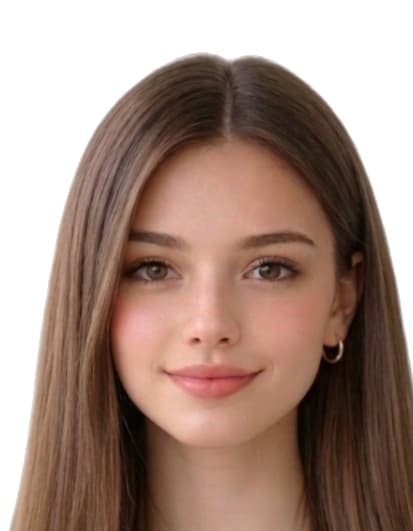
Slik tar du et godkjent bilde
- Take a recent, ICAO-style photo. Stand 1.2 m from a plain light wall in soft daylight. Look directly at the camera with a neutral expression and uncovered face.
- Open the Schengen visa photo tool. Upload your photo on this page. We measure face geometry against the EU ICAO/Schengen 35×45 mm template.
- Auto-crop and clean the background. We crop the head to 35 mm × 45 mm with face coverage 70–80% and replace the background with a plain light fill.
- Download digital + 4×6 print sheet. Download a 413 × 531 px JPEG for online consular forms or a 4x6 sheet with 8 prints.
Automatisk beskjæring til 35×45 mm.
Common reasons Schengenvisumfoto photos are rejected
Issuing authorities reject submissions that miss any of the items below. Our tool automatically corrects crop, background, and dimensions, but you still control the original capture — review this list before you upload.
- wrong_size_35x45
- face_not_70_80_percent
- background_not_plain_light
- photo_not_recent
- head_tilt_or_pose_not_frontal
- glare_or_shadows_on_face