Visumfoto hjemme
Blødt lys mod en lys væg.
Dansk · English
Upload og behandl
Vælg et foto fra din enhed. Behandlingen starter på denne side.
Eksempler
FørEfter
1.4 in

1.8 in
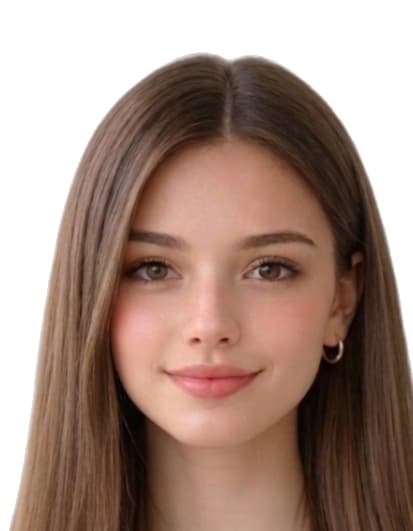
Sådan tager du et godkendt foto
- Take a recent, clear photo. Stand 1.2 m (4 ft) from a plain wall in soft, even daylight. Face the camera with a neutral expression, eyes open, and remove glasses, hats, or filters.
- Open the Visumfoto til Danmark (Schengen) tool. Open the upload form on this page and select your photo from your phone or computer. Our tool measures face geometry against the official Visumfoto til Danmark (Schengen) template.
- Auto-crop and clean the background. We crop the head to 35 mm × 45 mm with biometric framing and replace the background with a white fill if required.
- Download the print-ready file or 4×6 sheet. Download a 413 × 531 px JPEG for online submissions, or a 4x6 sheet with 8 photos to print at home or a pharmacy.
Beskæring til Schengen-standard.
Common reasons Visumfoto til Danmark (Schengen) photos are rejected
Issuing authorities reject submissions that miss any of the items below. Our tool automatically corrects crop, background, and dimensions, but you still control the original capture — review this list before you upload.
- wrong_format_not_35x45_mm
- head_height_outside_30_36_mm
- background_not_uniform_light_colour
- shadows_on_face_or_background
- expression_not_neutral_or_eyes_not_visible
- glasses_tinted_or_reflections
- multiple_people_or_off_centre_face
Where we sourced these Denmark specifications
Dimensions, background colour, and biometric framing on this page are compiled from the references below. Always reconfirm the latest guidance directly with the issuing authority before submitting an application.
- politi.dk (Krav til pasfoto / Rigspolitiet poster PDF)
- european-union.europa.eu (Schengen visa photo rules)
Last reviewed: